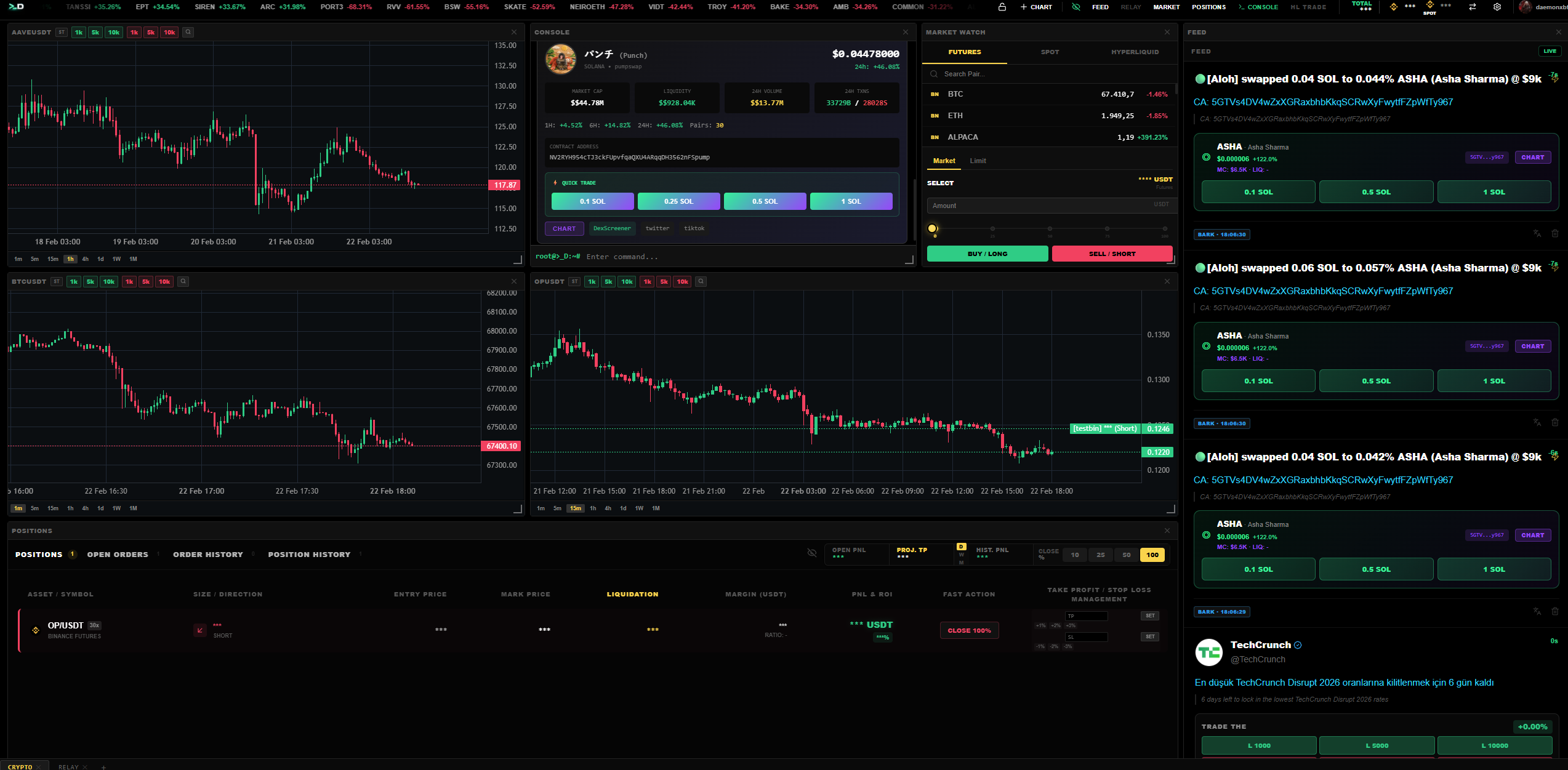
A professional crypto trading terminal that unifies charts, news, positions, and execution into a single workspace. Trade futures on Binance, Bybit & Hyperliquid — or swap on-chain across Solana, ETH & Base.
No tab switching. No missed opportunities. Every tool a serious trader needs, unified in one workspace.
Swap tokens directly on Solana, Ethereum, and Base. Snipe new launches from the news feed with one click. Built-in DexScreener integration.
Solana · ETH · BaseFull Hyperliquid perpetuals — crypto and tradfi assets. TWAP, grid bots, copy trading, and the complete HL orderbook inside D.Terminal.
Perps · Tradfi · Copy TradeSet keywords, pick a source, and the engine trades the news for you. Volume surge confirmation, cooldown system, and auto TP/SL.
Volume Surge · Auto TP/SLAutomatically detects new exchange listings and executes trades the moment a listing announcement hits the feed.
Binance · Coinbase · BybitStream messages from your Discord and Telegram channels directly into the terminal. Trade from the feed without switching apps.
Discord · Telegram · Live RelayTradingView-powered charts with multi-timeframe analysis and 100+ indicators. Drag-and-drop grid layouts across all exchanges.
Binance · Bybit · HyperliquidPower-user command line with built-in AI assistant. Place orders, adjust leverage, and manage positions — all without touching the mouse.
>_ market buy BTCUSDT 1.0TWAP execution, grid trading, DCA strategies, and copy trading on Hyperliquid. Automate your setups with configurable engines.
TWAP · Grid · DCA · CopyBinance, Bybit, and Hyperliquid futures from one interface. Add multiple accounts per exchange and switch between them instantly.
3 Exchanges · Unlimited AccountsFrom sign-up to your first trade in under five minutes.
Join our Discord server and purchase your membership. Get instant access to D.Terminal and connect with our trading community.
Add your Binance, Bybit, or Hyperliquid API keys. Connect your Solana/EVM wallets for on-chain trading.
Open charts, dock your news feed, relay channels, and execute. Use the visual interface or the CLI console — your choice.
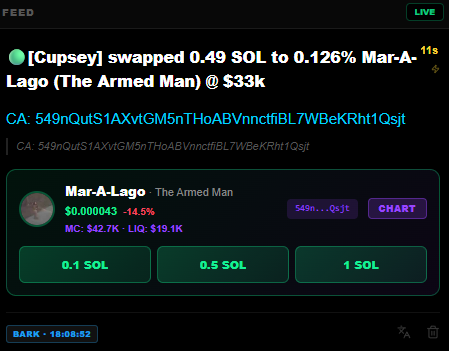
The news feed isn't just for reading. It's a trading interface. See a catalyst, click a token, and execute — all within D.Terminal.
Images in the feed are automatically scanned for contract addresses using AI vision. Tokens are validated against DexScreener with one-click trade buttons.
Foreign language posts are automatically translated so you never miss alpha from non-English sources. Works across all relay channels.
Click any detected token to instantly open its chart or trade it on-chain. From headline to position in seconds.
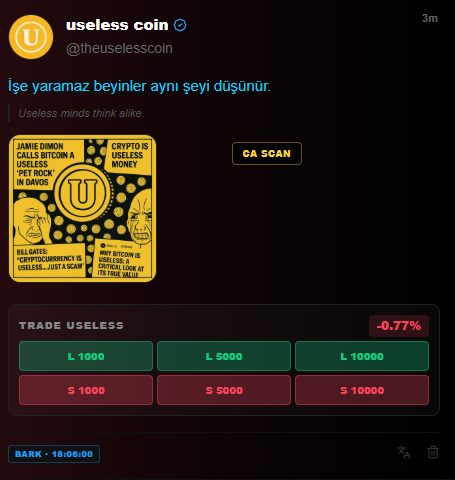
A CLI built into the terminal. Place orders, manage positions, and query data — keyboard only.
Not another charting tool. A complete trading operating system.
Sub-50ms order routing with real-time position updates, live PnL tracking, and instant TP/SL adjustments via drag-and-drop on charts.
Charts, news, positions, orders, and console — all visible simultaneously. Customizable grid layouts with drag-and-drop panels and workspace saving.
CLI console for power users. Visual interface for everyone else. Keyboard shortcuts, hotkeys, and command aliases. D.Terminal adapts to you.
D.Terminal is designed so your exchange credentials never leave your machine.
API keys are encrypted and stored locally on your device. They are sent directly to exchanges — never routed through our servers.
Every user session runs in complete isolation. Your data, positions, and configurations are separated at every layer of the stack.
All communication uses TLS/SSL encryption. WebSocket streams, REST API calls, and authentication — everything travels encrypted end-to-end.
D.Terminal is currently in closed beta. Join our Discord server and request access in the #get-access channel. Approved members get activated instantly.
Yes. Your exchange API keys are stored locally on your device and sent directly to exchange APIs. They never pass through or are stored on our servers. Use API keys with trading-only permissions for extra safety.
D.Terminal supports futures trading on Binance, Bybit, and Hyperliquid. For on-chain trading, you can swap tokens on Solana, Ethereum, and Base directly from the terminal.
D.Terminal is optimized for desktop. The full trading experience — multi-panel layouts, charts, and CLI — is designed for larger screens.
A command-line interface built into the terminal. Type commands like market buy BTCUSDT 0.5 sl=95000 tp=105000 to place orders instantly. Supports aliases, leverage adjustment, position management and more.
Join the traders who execute before the market moves. One terminal, every tool you need.