Multi-Exchange Trading Terminal

Execute Before
The Market Moves

A professional trading terminal that unifies charts, news, positions, and execution into a single workspace. Futures across eight exchanges, and on-chain swaps on Solana, Ethereum, Base, BSC and Robinhood.

8Exchanges
12Workspaces
5Chains
10+News Sources
8Languages
dterminal.trade
>_D CLOSE ALL
LAYOUTS ▾+ CHART+ FEED SYMBOLSTRADEPOSITIONS>_ CONSOLEOTHERS ▾
TOTAL BALANCES
SYMBOLS + TRADELIVE
FUTURESSPOTONCHAIN
SymbolPrice24h%
BTC-USDT
ROUTE AUTOARCUSMarket ▾
Available
25%50%75%100%
Buy / LongLiq ~1822.25 Sell / ShortLiq ~100802.8
Size0.00  BTC ▾
BuyMarket ▾
Amount$0
+$1+$5+$10+$50+$100
Total$0
To win$0
Trade
← back to futures
● CONSOLE● DIAGNOSTICS
[] >_D Console v1.0 initialized…
[] Type "help" for available commands.
[] Type "ask [question]" to chat with AI.
BTC 1k5k10k 1k5k10k VOLVPNEWS
1s1m5m15m1h4h1dFUND 0.0059% · 3:41
1h6h1d1w1mALL
ETH 1k5k10k 1k5k10k VOLVPNEWS
1s1m5m15m1h4h1dFUND 0.0100% · 3:41
SOL 1k5k10k 1k5k10k VOLVPNEWS
1s1m5m15m1h4h1dFUND -0.0045% · 3:41
ZEC 1k5k10k 1k5k10k VOLVPNEWS
1s1m5m15m1h4h1dFUND 0.0100% · 3:41
POSITIONS 0OPEN ORDERS 0ORDER HISTORY 0POSITION HISTORY 0
SYMBOLSIZEENTRYMARKLIQPNLFUNDCLOSE
NO ACTIVE POSITIONS DETECTED
● NEWS POLYMARKETCUSTOMLIVE
CRYPTOONCHAINHYPERLIQUIDTRADFIWATCHERINTELLIQUIDATIONSCALENDARFUNDINGHEATMAPSPAGHETTICORRELATIONNARRATIVETRACKER US PREEU OPENASIA CLOSED● ONLINE
D.TERMINAL // MOBILE LINK
QR
SCAN WITH YOUR CAMERA
dterminal.trade/app
IOSSafari → Share → Add to Home Screen ANDROIDChrome ⋮ → Add to Home screen
[ API KEYS STAY SERVER-SIDE — NOTHING IS COPIED TO THE PHONE ]

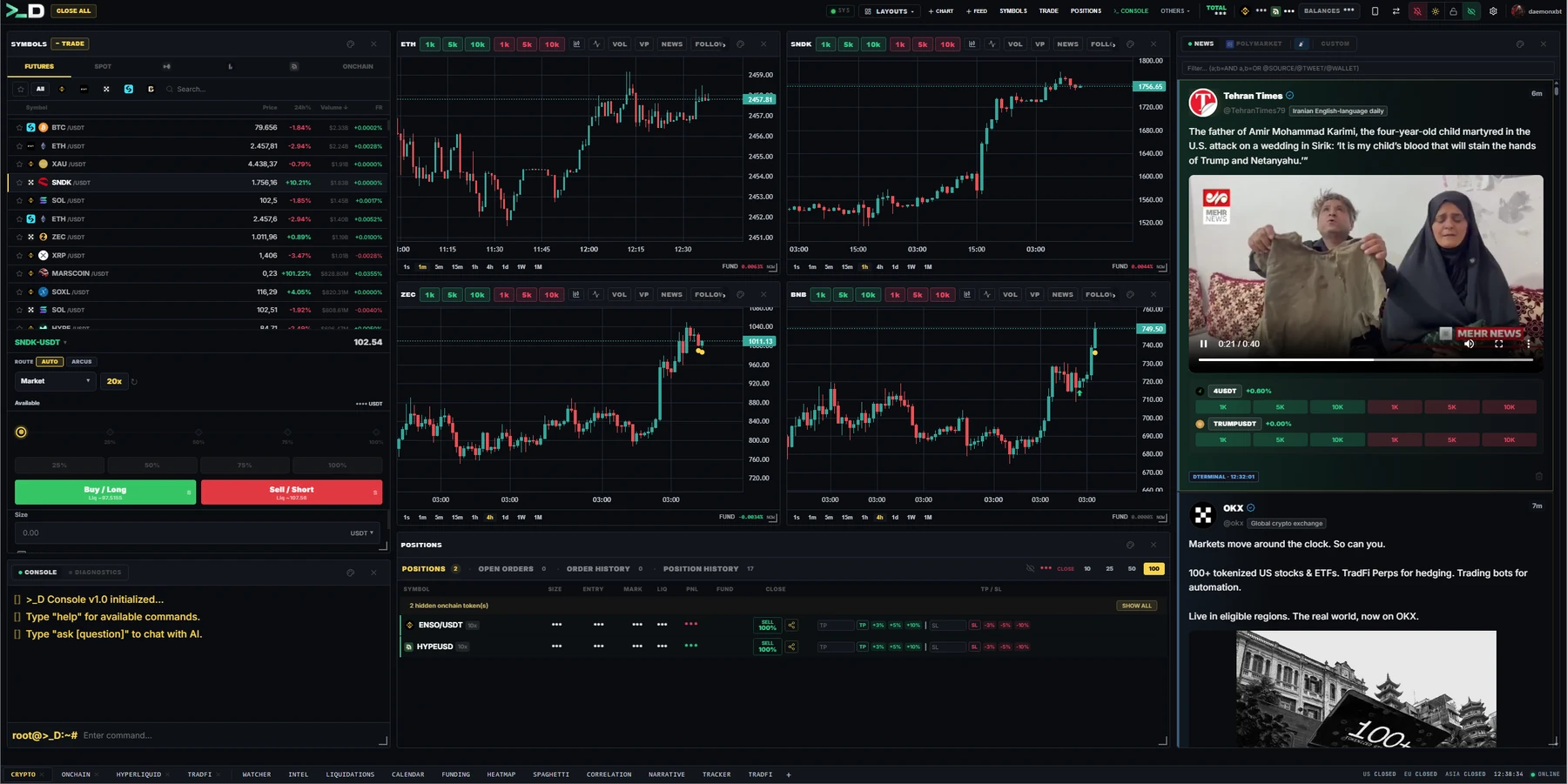
One window: symbol list, chart, order book, positions and the live news feed — with the command console along the bottom and twelve workspace tabs across the footer. Drag any panel where you want it, save the layout, and keep a separate workspace per strategy.

01Live newsTen-plus wires, Twitter and Telegram in one feed
02ChartSeven candle styles, 23 indicators, 1s to 1M
03Order bookDepth ladder, DOM and time & sales
04SymbolsEight exchanges side by side, funding and volume
05Trade panelMarket, limit, TWAP, scale, chase and swarm
06PositionsEvery exchange in one blotter, TP/SL inline
07ConsoleType an order, or ask the terminal a question
08WorkspacesTwelve tabs across the footer, each a full screen
Twelve Workspaces, One Window

Each one below is a full screen of the terminal, not a mockup. They live in the same window — switch between them without losing a layout, a chart or a position.

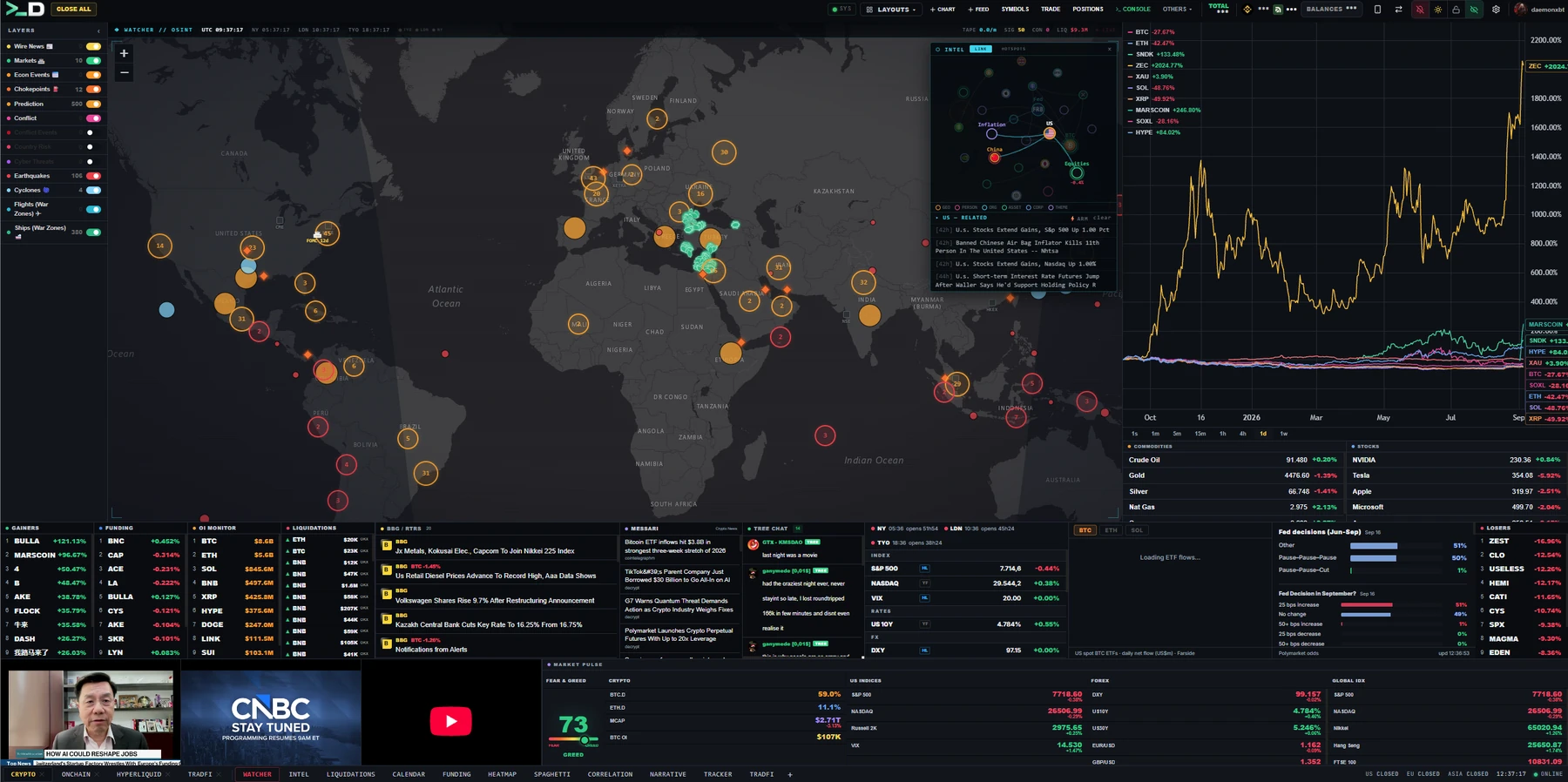
WATCHER

The map that moves with the tape

Conflict zones, earthquakes, cyclones, shipping chokepoints and war-zone air traffic, drawn on one map and layered over the newswire. When a headline breaks, you see where it happened before you read where it happened.

Underneath the map sit the things that react first: gainers and losers, funding, open interest and the liquidation tape. The catalyst and the market's answer to it are on the same screen, so you are not alt-tabbing to find out whether anyone cared.

WATCHER workspace
01Live world map
Conflict, quake, cyclone and chokepoint layers
02Wire feed
Bloomberg and Reuters headlines as they land
03Flights and ships
War-zone air traffic and tanker routes
04Market strip
Gainers, funding, open interest, liquidations
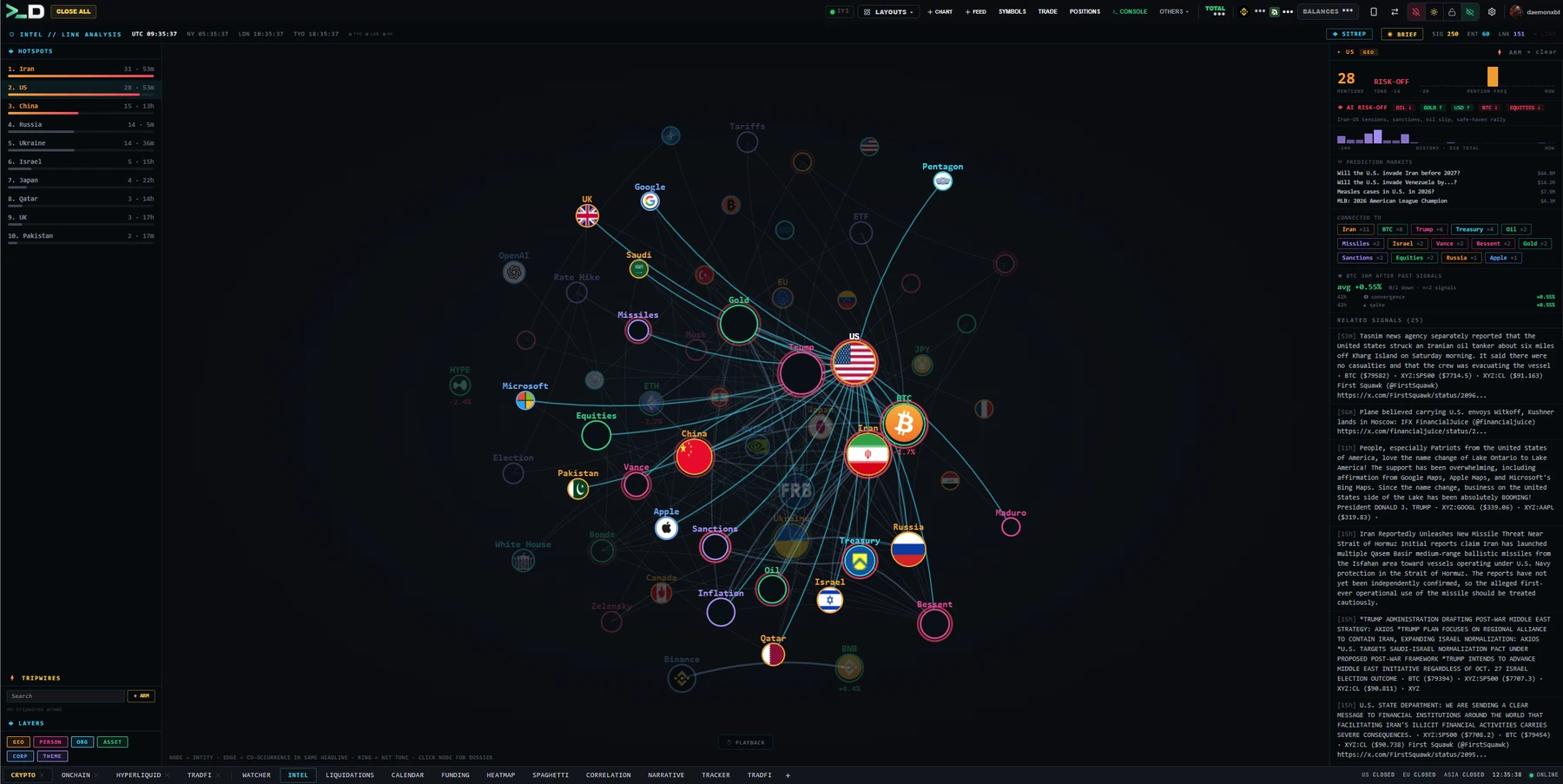
INTEL

Headlines resolved into a live graph

Every story is parsed into the entities it actually concerns — countries, companies, people, assets — and drawn as a graph of what is co-occurring right now. Reading a feed tells you what happened; reading the graph tells you what is clustering.

Hotspots rank by pressure so the crowded corner of the map is obvious. Tripwires fire on the combinations you arm, and when the picture is not obvious you can simply ask the panel what is driving a move and get an answer built from the same feed.

INTEL workspace
01Entity graph
Who and what is co-occurring right now
02Hotspots
Ranked by pressure, not by recency
03Tripwires
Fire on combinations you arm yourself
04Ask Intel
Question the feed in plain language
IN DETAIL
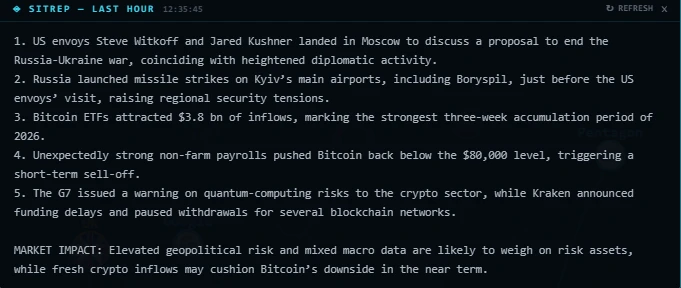
SITREP
SITREPThe AI-written situation brief: what the last hour of the wire adds up to, in a paragraph.
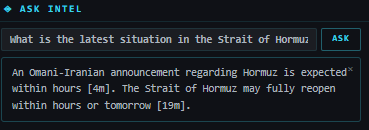
Ask Intel
Ask IntelA plain-language question against the same feed — "what is driving oil right now" — answered from the indexed stories.
LIQUIDATIONS

Where leverage is breaking

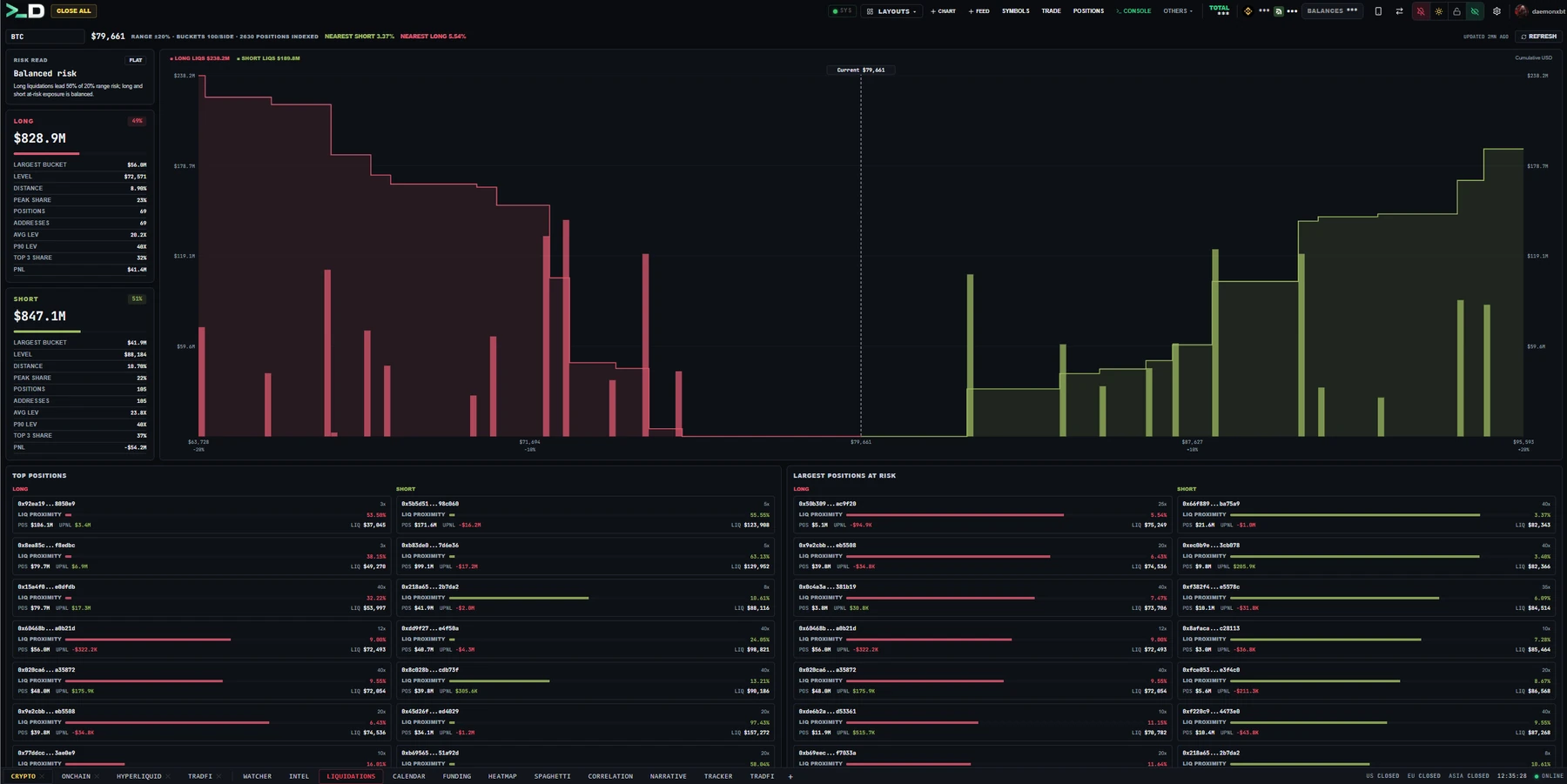
A live tape of forced closes across venues, sized so a real cascade looks like one. Below it, the map of resting liquidation levels — the prices where the next wave would start if the market walks into them.

The panel also reads the stress rather than only showing it: the 90th-percentile leverage in the sample, the median distance to liquidation and how concentrated the risk is in the top three positions. Medians, not averages, because one whale otherwise writes the whole number.

LIQUIDATIONS workspace
01Forced-close tape
Every liquidation, sized by notional
02Liquidation map
Where the resting levels stack up
03Stress stats
P90 leverage, median distance, top-3 share
04Venue split
Which exchange is actually breaking
CALENDAR

The releases that move the tape

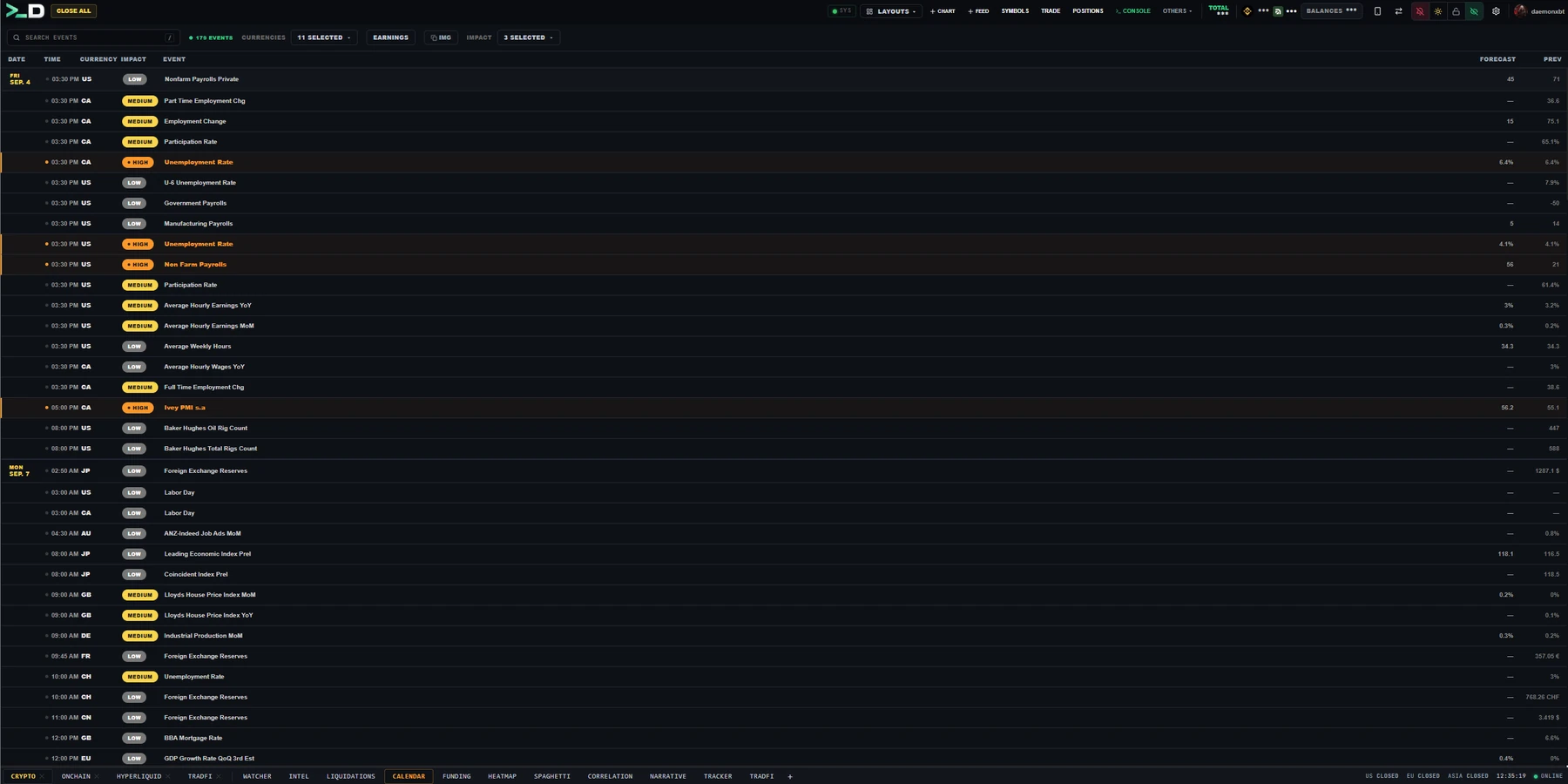
The economic calendar with the parts that matter to a trader kept in front: currency, forecast, previous print and an impact rating, filtered down to the releases you care about.

It collapses to a two-line card in a narrow pane, so the calendar can live in a thin column beside a chart instead of demanding half the screen.

CALENDAR workspace
01Impact rating
High-impact prints stand out first
02Forecast vs prior
The number the desk is positioned for
03Currency filter
Only the pairs you actually trade
04Narrow-pane layout
Works in a thin side column
FUNDING

What the carry is costing

Funding rates across every connected venue in one table, so the cost of holding a position is a number you look at rather than a number you discover on the next settlement.

Sorting by extreme funding is a positioning signal in itself: when one side is paying heavily to stay on, the crowded trade names itself.

SCREENSHOT PENDING
FUNDING
01Cross-venue table
Every connected exchange, one view
02Extremes first
Sort to find the crowded side
03Countdown
Time to the next settlement
04Open interest
Funding read against positioning
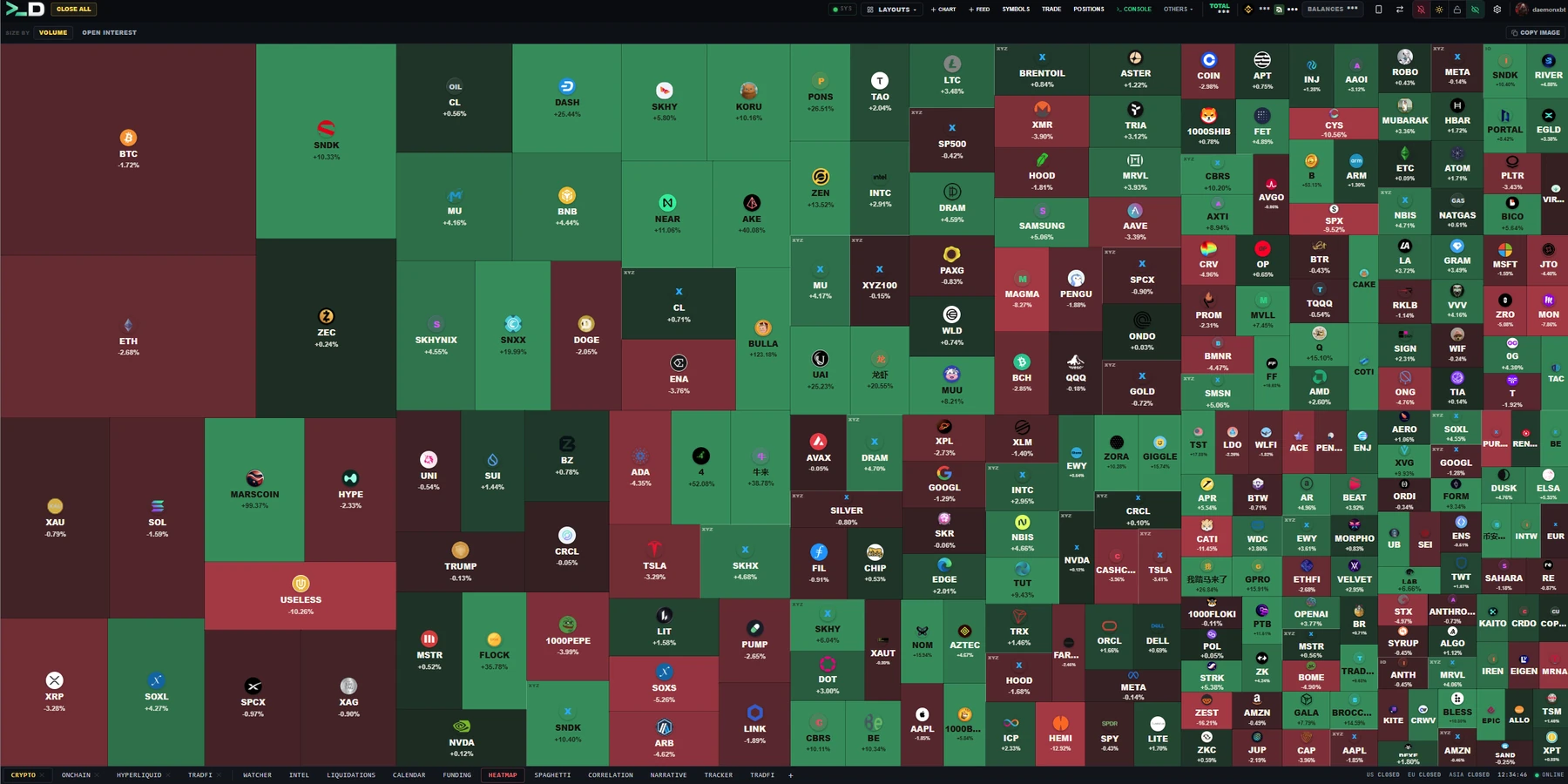
HEATMAP

The whole market at a glance

Every market sized by the measure you choose and coloured by move, so breadth is something you see instead of something you calculate.

Grouping by category separates a genuine sector rotation from three large caps dragging an index around.

HEATMAP workspace
01Size by
Volume, market cap or open interest
02Categories
Sector rotation versus a few large caps
03Colour by move
Breadth at a glance
04Click through
Any tile opens as a chart
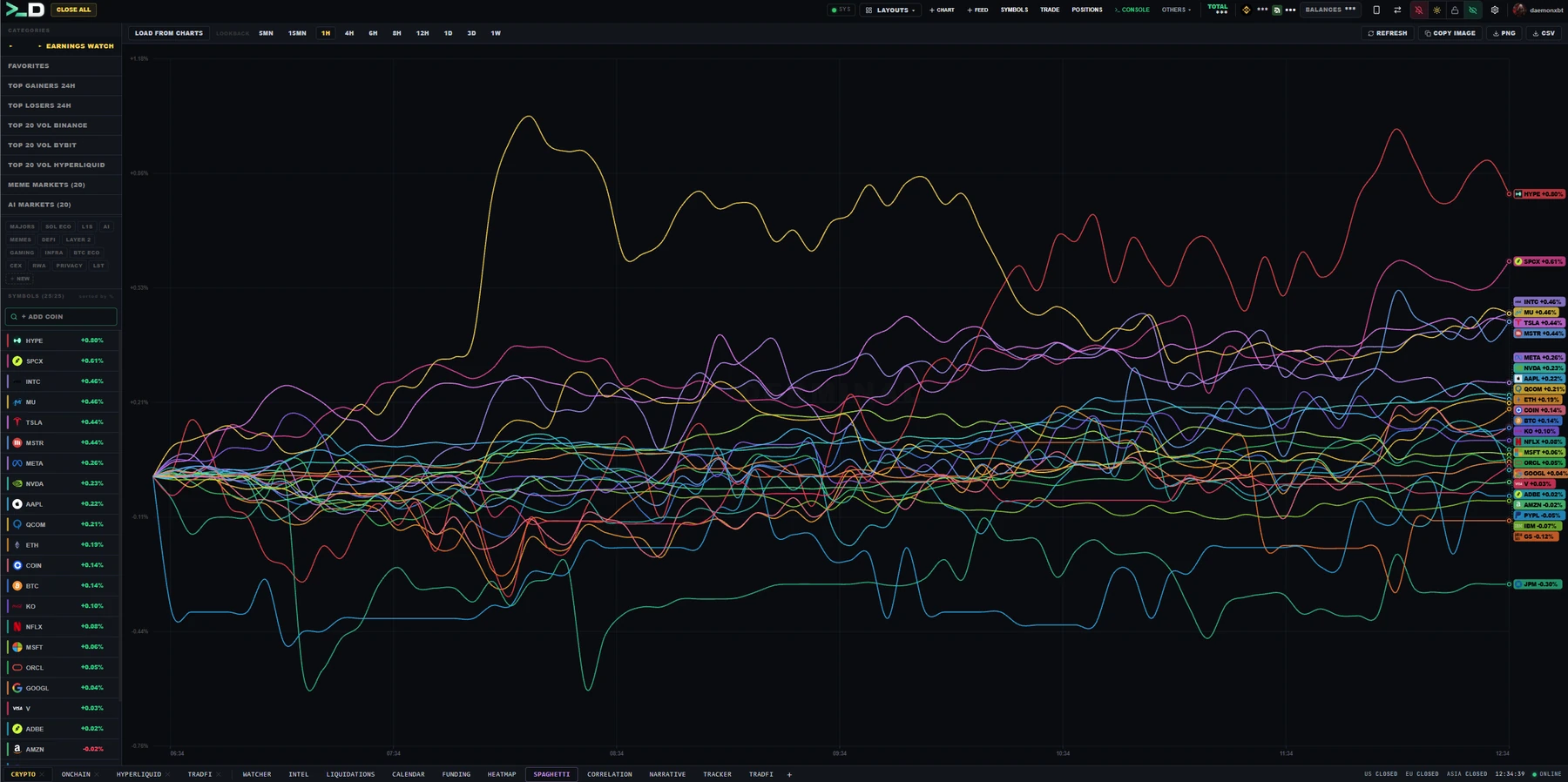
SPAGHETTI

Relative performance, rebased

Every symbol rebased to a common start so the lines answer one question: which of these is actually outperforming, and since when.

Absolute prices hide this completely — two assets can look identical on separate charts and be twenty points apart once you put them on the same axis.

SPAGHETTI workspace
01Common baseline
All series rebased to one start
02Lookback
Change the window, keep the comparison
03Leaders and laggards
Divergence becomes visible
04Custom basket
Add and remove symbols freely
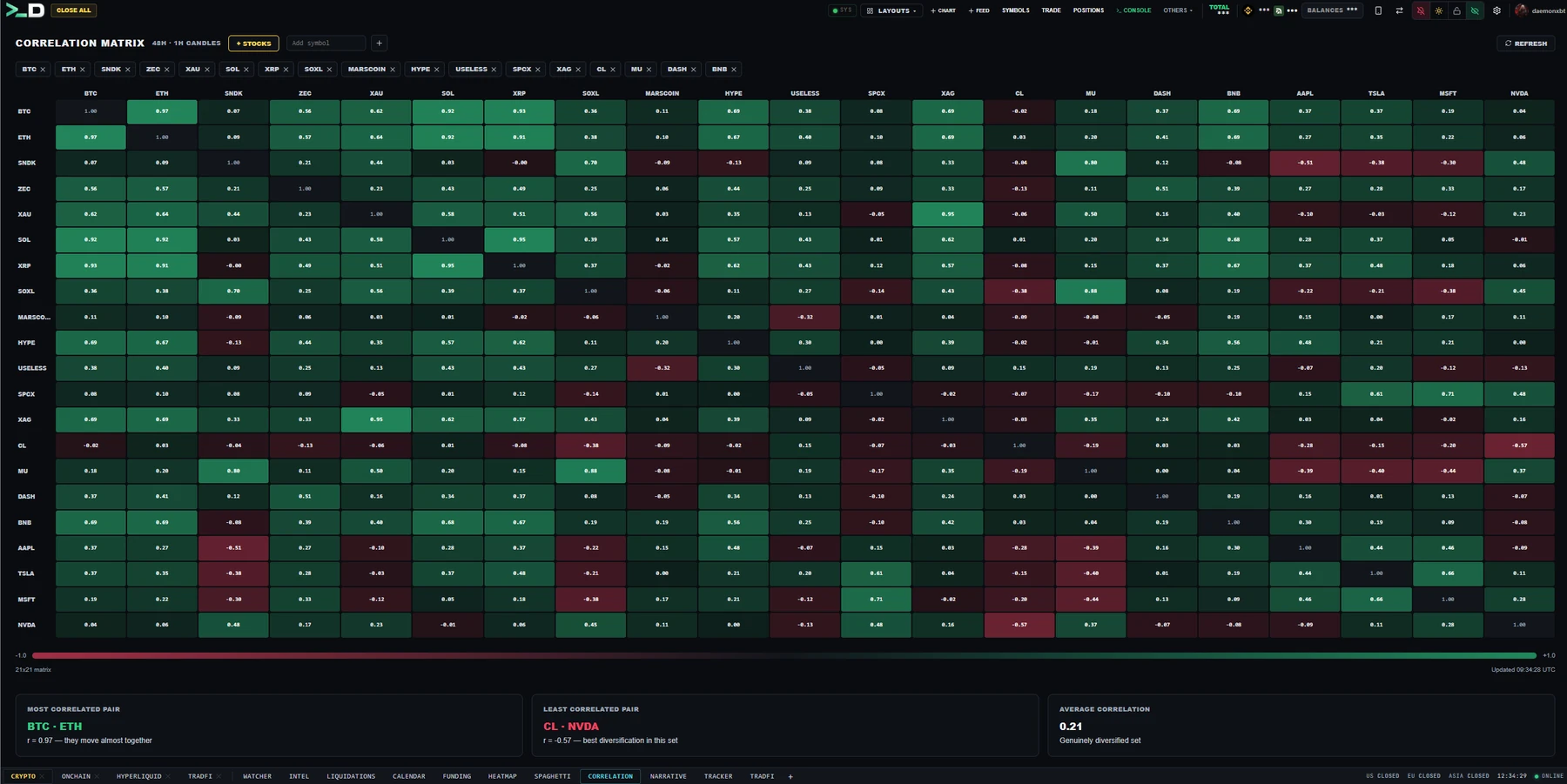
CORRELATION

What is moving together

A correlation matrix over the window you pick, with the most and least correlated pairs called out and the average printed underneath.

It is the fastest way to find out that the four positions you thought were diversified are in practice one position held four times.

CORRELATION workspace
01Matrix
Pairwise correlation over your window
02Most / least
The extremes named explicitly
03Average
One number for the whole basket
04Add stocks
Mix crypto with equity references
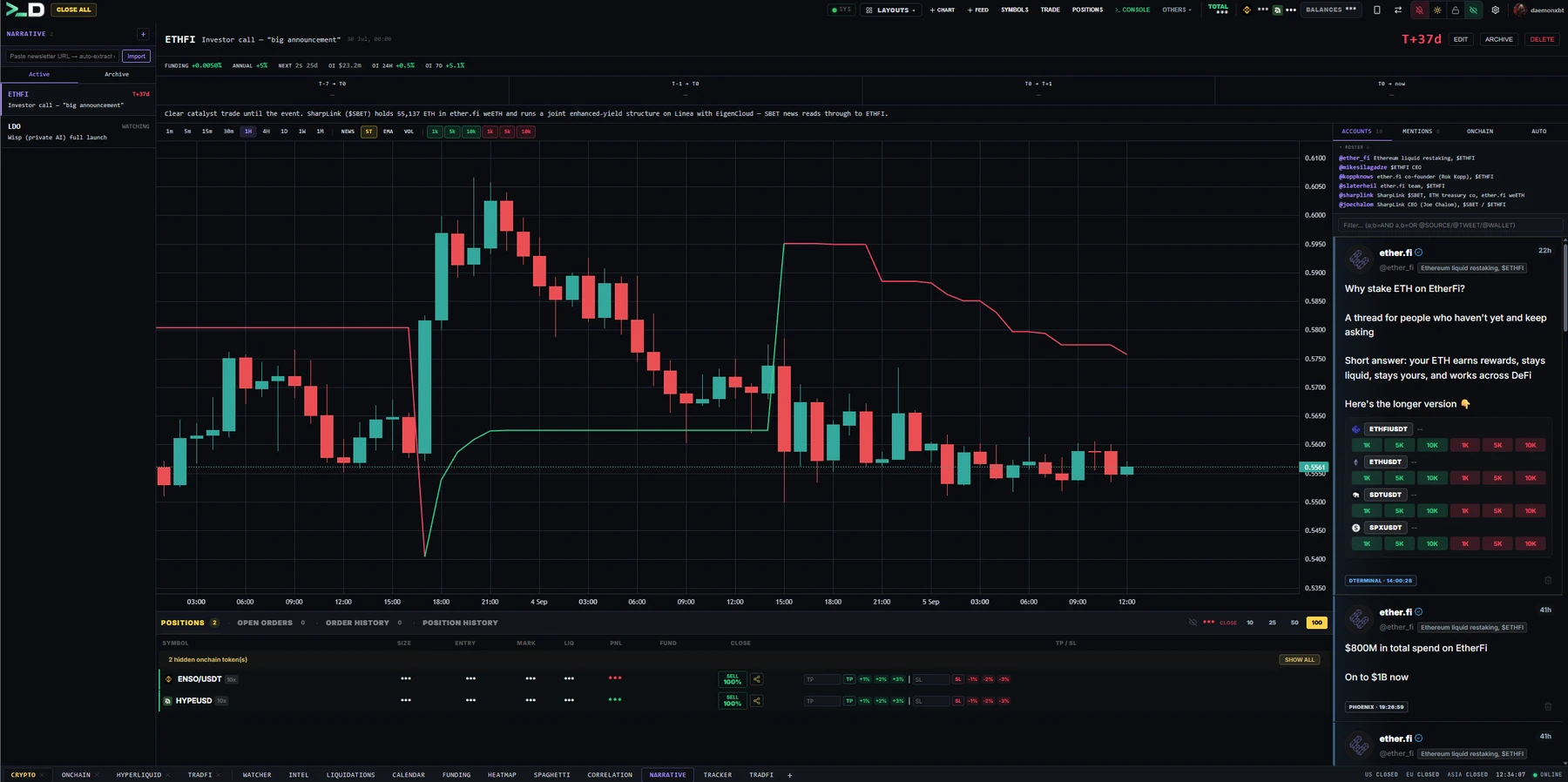
NARRATIVE

Catalyst tracking per coin

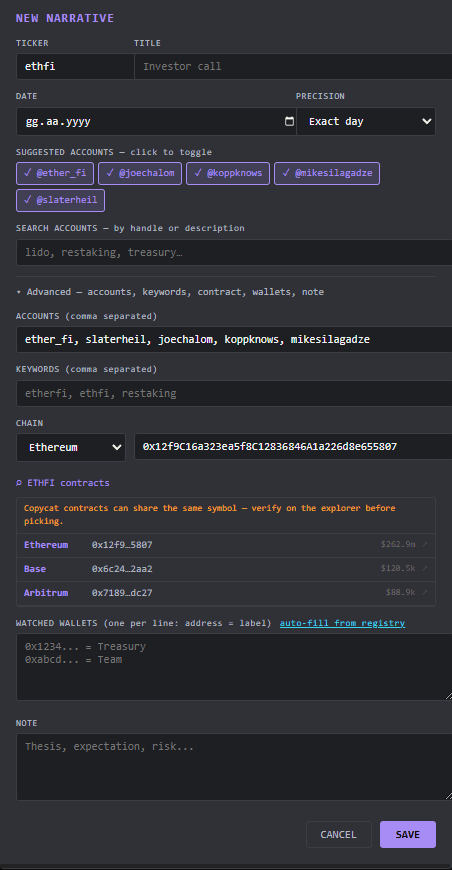
A roster of coins with the catalysts attached to each: mention counts over time, the chart, the feed items that caused the count to move, and the onchain activity underneath it.

The point is sequence. A mention spike that precedes the move is information; the same spike after the move is a crowd arriving late, and the panel keeps the two visibly apart.

NARRATIVE workspace
01Mention frequency
Counted over time, not just latest
02Chart alongside
Spike against price, same axis
03Source feed
The posts behind the count
04Onchain
Flows under the narrative
IN DETAIL
Roster and catalysts
Roster and catalystsThe accounts and keywords a narrative is built from, with each catalyst dated so the sequence stays readable.
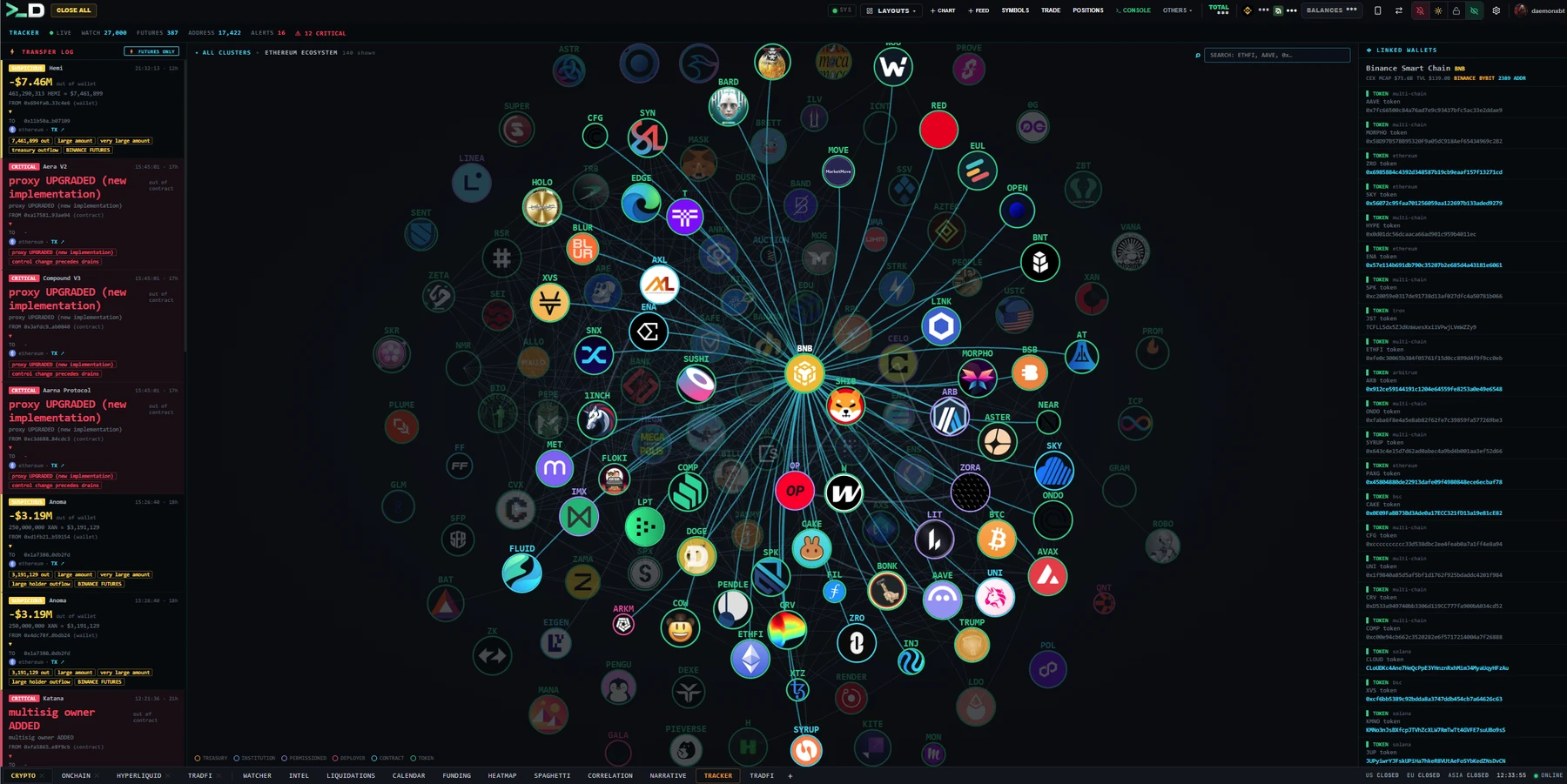
TRACKER

Wallets and contracts under watch

Named wallets and contracts monitored continuously, with separate alarm rules for each because a wallet moving funds and a contract changing state are not the same event.

It exists for one job: catching an anomaly on a listed perpetual early enough that the reaction is still tradeable rather than historical.

TRACKER workspace
01Watchlist
Wallets and contracts side by side
02Separate rules
Wallet alarms and contract alarms differ
03Live stream
Events pushed as they confirm
04Alert routing
Straight to Telegram
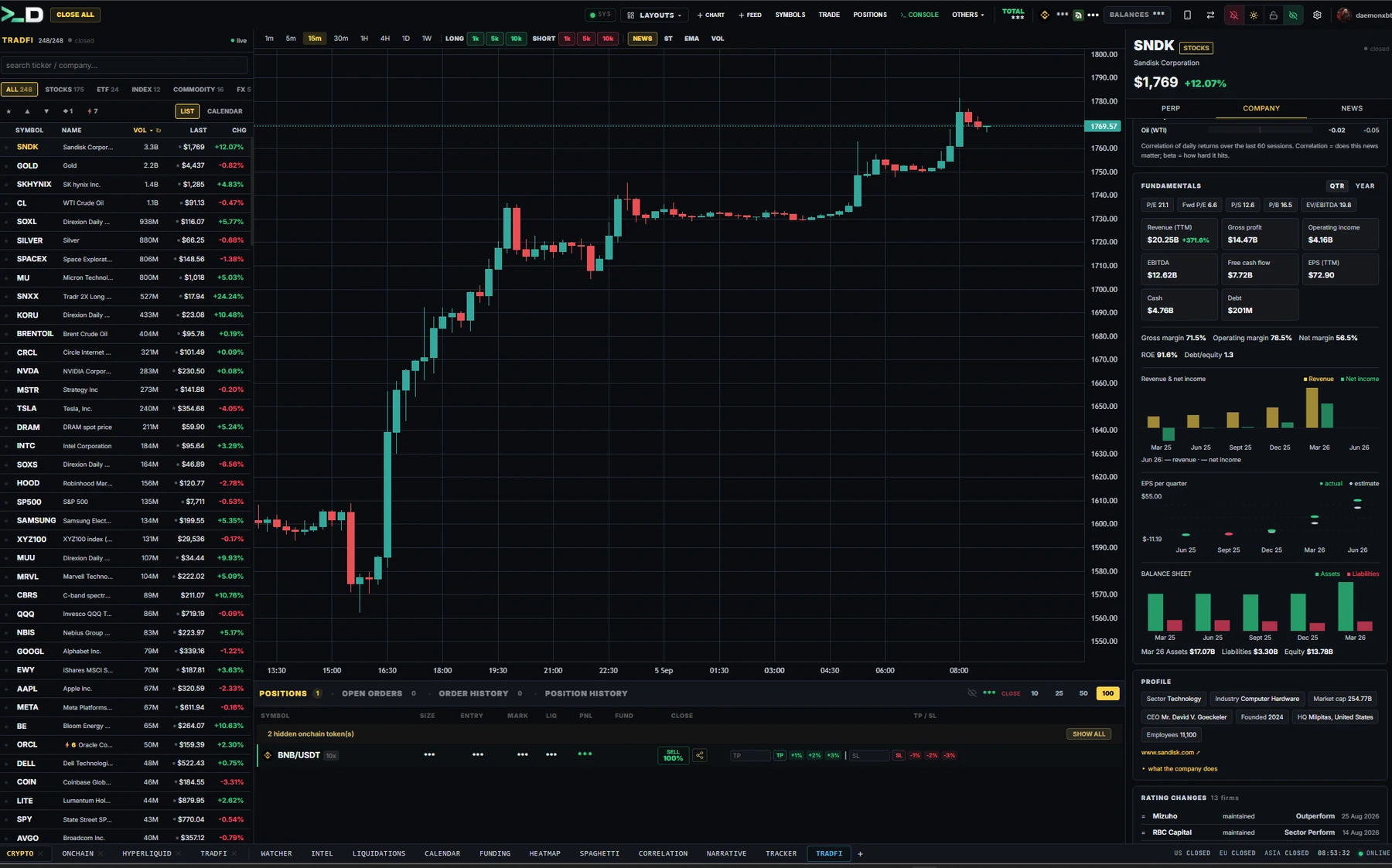
TRADFI

Tokenized equities as perpetuals

The tokenized-equity perpetual universe across every connected venue in one table — live quotes, funding and open interest, plus the earnings calendar for the names behind them.

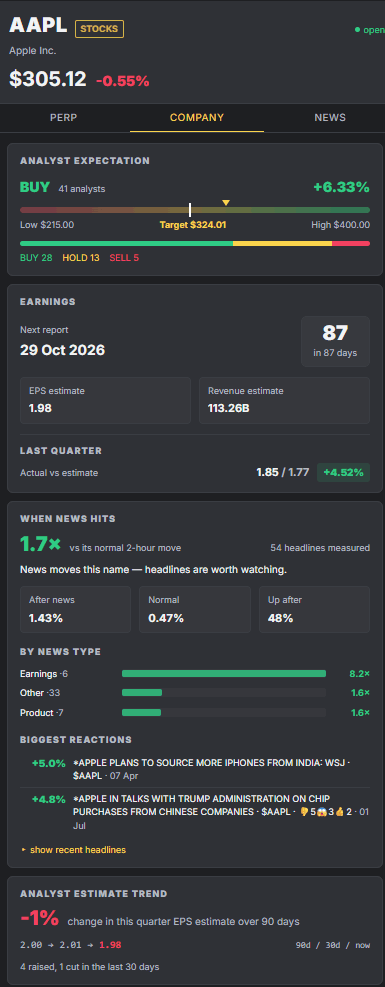
The fundamentals block sits underneath, so a position in an equity perp can be checked against the company's actual numbers without leaving the terminal.

TRADFI workspace
01Cross-venue universe
Every venue's tradfi perps, one table
02Live quotes
Price, funding and open interest
03Earnings calendar
The dates that gap these names
04Fundamentals
Company numbers under the ticker
IN DETAIL
Contract detail
Contract detailPer-contract funding, open interest and the session rules behind a tokenized equity perp.
Fundamentals
FundamentalsThe company numbers under the ticker — revenue, margins and the earnings dates that gap these names.
TRADE

Where the order actually goes out

The execution workspace: charts, order book, depth, positions and the order ticket, arranged as movable panels rather than a fixed layout you have to live with.

Eight venues route through the same ticket — market, limit, stop, take-profit, TWAP, scale, chase and swarm — with the required margin shown before you send, not after the exchange rejects you.

TRADE workspace
01Movable panels
Build the layout around your workflow
02Eight venues
One ticket, one set of controls
03Order types
TWAP, scale, chase and swarm included
04Margin check
Requirement shown before you send

Trading in Three Steps

From sign-up to your first trade in under five minutes.

STEP 01

Sign In

Discord, Google, X or an email address — one click, no form, no card. Your 3-day free trial starts the moment you sign in: full terminal, every exchange, every panel.

STEP 02

Connect Your Exchanges

Add API keys for any of the eight supported exchanges. Connect your Solana/EVM wallets for on-chain trading.

STEP 03

Start Trading

Open charts, dock your news feed, relay channels, and execute. Use the visual interface or the CLI console — your choice.

1,000+
Twitter Accounts (~800ms)
70+
Crypto Media & Blogs
24/7
Real-Time Scraping

From Headline to Execution in Seconds

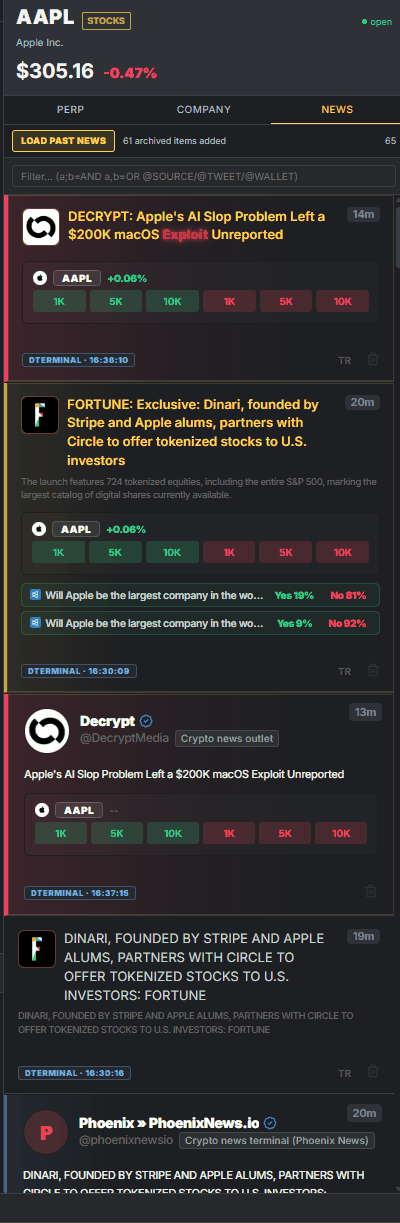
The news feed isn't just for reading. It's a trading interface. See a catalyst, click a token, and execute — all within D.Terminal.

  • 🔍

    AI-Powered OCR

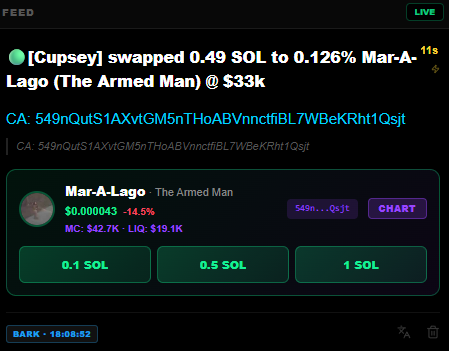
    Images in the feed are automatically scanned for contract addresses using AI vision. Tokens are validated against DexScreener with one-click trade buttons.

  • 🌍

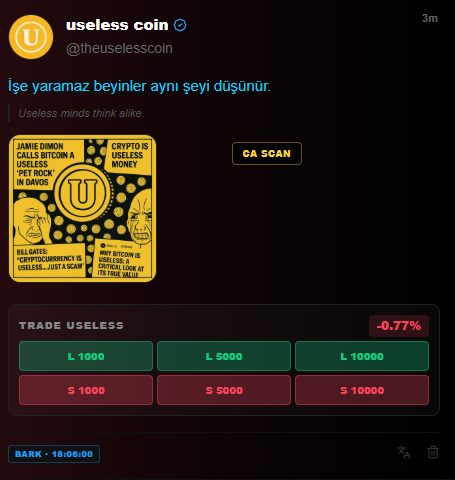
    Auto-Translate

    Foreign language posts are automatically translated so you never miss alpha from non-English sources. Works across all relay channels.

  • 🎯

    One-Click Execution

    Click any detected token to instantly open its chart or trade it on-chain. From headline to position in seconds.

Auto-Translate & CA Scan
Auto-Detect Contract Address

Trade at the Speed of Thought

A CLI built into the terminal. Place orders, manage positions, and query data — keyboard only.

D.Terminal — Command Console
>_ market buy ETHUSDT 0.5 sl=3200 tp=3800
Long 0.5 ETH @ 3512.40 — SL $3,200 · TP $3,800
>_ leverage BTCUSDT 20x
Leverage set to 20x on BTCUSDT
>_ hl market buy BTC 0.01
Hyperliquid — Long 0.01 BTC @ 94,210
>_

Built Different

Not another charting tool. A complete trading operating system.

01 — SPEED

WebSocket-Driven Execution

Orders go out over a persistent connection — the last measured round trip was about 330 ms from click to exchange acknowledgement. Positions, PnL and TP/SL updates stream over WebSocket, and stops can be dragged straight on the chart.

02 — WORKSPACE

Unified Trading OS

Charts, news, positions, orders, and console — all visible simultaneously. Customizable grid layouts with drag-and-drop panels and workspace saving.

03 — CONTROL

Your Way to Trade

CLI console for power users. Visual interface for everyone else. Keyboard shortcuts, hotkeys, and command aliases. D.Terminal adapts to you.

One Price, Every Feature

No tiers, no feature gates, no per-exchange add-ons. Every plan unlocks all eight exchanges, all twelve workspaces and every news source. Pick a term and the longer you commit, the less you pay.

1 Month
$125
$125 / month
3 Months
$319
$106 / month
Save 15%
Most Popular
6 Months
$542
$90 / month
Save 28%
12 Months
$921
$77 / month
Save 39%

Try it first — 3 days, no card

Full terminal, every exchange, every panel. Sign in with Discord, Google, X or an email address and start immediately. No payment details until you decide.

Start Free Trial
Paid in crypto via DPays · Cancel anytime · Access is per-person, not per-device — use the terminal from your desktop and laptop with the same account.

Your Keys, Your Account

Your credentials are yours alone: keys are held encrypted against your account, used only for your orders, and never shared between users.

🔐

Keys Held Per Account

API keys are stored encrypted against your account and used only to sign your own orders. They are never shown to another user, never shared between accounts, and wallet connections sign locally — a private key never leaves your browser.

👤

Per-User Isolation

Every user session runs in complete isolation. Your data, positions, and configurations are separated at every layer of the stack.

🔒

Encrypted Connections

All communication uses TLS/SSL encryption. WebSocket streams, REST API calls, and authentication — everything travels encrypted end-to-end.

 Supported Exchanges & Chains
Binance
Bybit
Hyperliquid
OKX
Bitget
Blofin
Lighter
Arcus
Solana
Ethereum
Base
BSC
Robinhood
 Explore by feature
Multi-Exchange Terminal Hyperliquid Terminal News Trading Bot Crypto News Feed Liquidation Map On-Chain Trading Tokenized Stock Perps Funding Rates Screener Correlation & Heatmap Geopolitical Risk Map Wallet Drain Alerts Choosing a Terminal

Questions & Answers

Sign in with Discord, Google or X, or create an account with an email address and password — either way your 3-day free trial starts immediately, with no card and no waiting for approval. When the trial ends, pick a plan on the Plans section and you keep the same account, layouts and API keys.

Your exchange API keys are stored encrypted against your account and used only to place your own orders — never exposed to another user and never shared between accounts. Because the terminal runs in the browser, the keys live on our side rather than in the page; that is also why your account works from any device without re-entering them. Use trading-only keys with withdrawals disabled, and connect a wallet instead of pasting a private key wherever possible: wallet connections sign locally and the private key never leaves your browser.

D.Terminal supports futures trading on Binance, Bybit, OKX, Bitget, Blofin, Lighter, and Hyperliquid — including Hyperliquid's builder DEXes for tradfi perpetuals. For on-chain trading, you can swap tokens on Solana, Ethereum, Base, BSC and Robinhood directly from the terminal, and the Tracker watches Ethereum, Solana, BNB Chain, Base, Arbitrum and more.

Yes. There is a dedicated mobile layout — panels open one at a time with a tab bar, and the same account, workspaces and API keys follow you. Add it to your home screen (the phone icon in the terminal shows a QR code) and it runs full screen like an app, with keyword and price alerts pushed to the phone. The full multi-panel grid and the CLI console are still a desktop experience; the phone is built for watching the feed and managing positions.

A command-line interface built into the terminal. Type commands like market buy BTCUSDT 0.5 sl=95000 tp=105000 to place orders instantly. Supports aliases, leverage adjustment, position management and more.

Ready to Trade Smarter?

Join the traders who execute before the market moves. One terminal, every tool you need.